Pages

Showing posts with label KPMG. Show all posts

Monday, 10 December 2018

Last KPMG Day

This is was a very sad day, but also very exciting as it was an opportunity for us to all share the successes of our journey. 

This has been an amazing support crew to have guiding us and helping us all the way!


Here are the videos I made on the day, (but took a little time to re-hash as I normally use either iPads or the school's iMac to publish video's - so had to re-learn how to use Screencastify, and wevideo).

The Why


The How

Tuesday, 21 August 2018

KPMG - Day 3

Today was our third KPMG day in Auckland.  No agenda was shared with us so we were all a little excited (and nervous) as to what was in store for us.


When we arrived we were greeted with the fresh smell of coffee (and tea) and we set ourselves up for the challenges we knew were ahead of us.  


Today’s session had been devoted to listening to each MIT participant shared the progress you have made within their inquiry and also with the tool that each were making.  Following this we were asked if we would like to cross blog our feedback - Of course we said YES what a great idea.


So we then used a random name selector to determine whose tool/inquiry we would comment on.  I was very lucky to draw Danni and interestingly she got me as well.


Danni’s inquiry started off focusing on literacy learning in years 7 & 8 and how that school and cluster data was showing that the rate of learning in many senses was stalling or dropping.  Her inquiring focused totally on what she could do to prevent this in her classroom.


Today Danni started out by sharing her site - a resource bank of texts she has created and used in her classroom.  This was broken into different pages relating to Text Analysis exemplars, Writing Techniques and Connecting Reading and Writing.


This provided us with rich examples and questions based around different genre/examples.  This looked like a fantastic tool at a glance. When we delved deeper it appeared to be even more of a rich tool.  


One of the challenges that Danni had been having is finding/accessing examples of text that will support this resource, some suggestions were made as to who could help including
Aaron Wilson


During the morning we had discussed her inquiry informally and part of this discussion highlighted how many of her shifts in student achievement was related to her high expectations of her children both in what they will achieve and also in the contexts in which she teaches these through.   We talked with Danni about adding a page on high expectation.


As discussion wound up we also discussed possibility adding in how you might use these resources Multimodally (showing links to resources and sites that she and others used..  An interesting point was also raised about ESOL strategies being something to consider within her resource.

Reflections on my own inquiry were huge.  I will cross share Danni’s reflection here and then add to it my own thoughts.


Thoughts going away from KPMG today…

Learning together is empowering - and connecting with those outside of our normal realm of teaching extends our thinking.   As Zac put it “team work is dream work”.

Wednesday, 11 July 2018

Other Sydney MIT Trip highlights.

One of the highlights of this trip was being with an AMAZING bunch of teachers who are innovative, inspirational and energetic about teaching, education and life in general.

I have to say I loved spending time with you all and sharing this fantastic experience.  Thanks once again KPMG, Pat Snedden, Jenny Oxley, Dorothy Burt, and Anne Sinclair for making this happen for us all.  Lots of learning and for me, pushing myself outside my comfort zone.

I am not a person that shares very frequently and although I have been challenged to present before I have never had the additional nudge that you have all given me.  Thanks to everyone for your support and also to Tania Coutts who has been nudging and supporting me in taking this step.  

I FINALLY DID IT.  

This event also enabled Dorothy and I to come up with a plan for when Team Maunga use a release day, to pop down to visit some classrooms at Point England, to be immersed in 1:1 device environments, to see what one can look like, and to connect on a professional level with teachers to talk about what works and what doesn't work within their digital learning environments.

Team Maunga are super excited about this as we are seeing more and more opportunities for devices to be used to extend and enhance learning, but as we are not 1:1, we don't know what we don't know.  

The only way to change this is to immerse ourselves in experiences, literature, and inquiries, that will shift our current ideals of how to use devices to improve learning outcomes for our students.  As a team we are already doing things that extend us in all of these areas but we feel that this visit might be a catalyst for further change and shifts in our teaching practice/ideals.


Further things to take away from this experience...

Share More:  Both the positives and the struggles.
Although within the Kaikohekohe Cluster I share HEAPS, I need to push myself to present more at these kind of events.
Tell my story and encourage students in our learning space to tell their stories.


<<<Other things>>>
Sydney's train system is FANTASTIC
Uber app now installed on phone (Don't think Kerikeri is ready for this however), but though it might be useful when getting from Parramatta to Sydney Airport by 7:30 Wednesday morning, and also when attending next MIT meeting at KPMG
I MISS MY FAMILY
My room buddy was amazing to talk to.


Ignite Talks

Here are a few quick notes/thoughts that either inspired me as I listened or that sprung to mind as I was listening. What a great ending to a great conference. A big thanks once again to KPMG, Pat Snedden, Jenny Oxley, Dorothy Burt and Anne Sinclair for making this a reality.


Lots of fantastic learning to take away from this experience. WATCH THIS SPACE!


Kim Sutton - Good Questions

“If I don’t ask questions how do I know how to change the world”.
Who is going to invent ? 

The kids that are asking questions now, are the ones who will design flying cars (and future innovative ideas).

How do kids like these become inventors like this?

It is by teaching them how to question the world around them, and to challenge themselves.

Teaching answer is not as important as teaching questions.
- the rubrics cube is a question waiting to be answered.

Moments like this - google - video


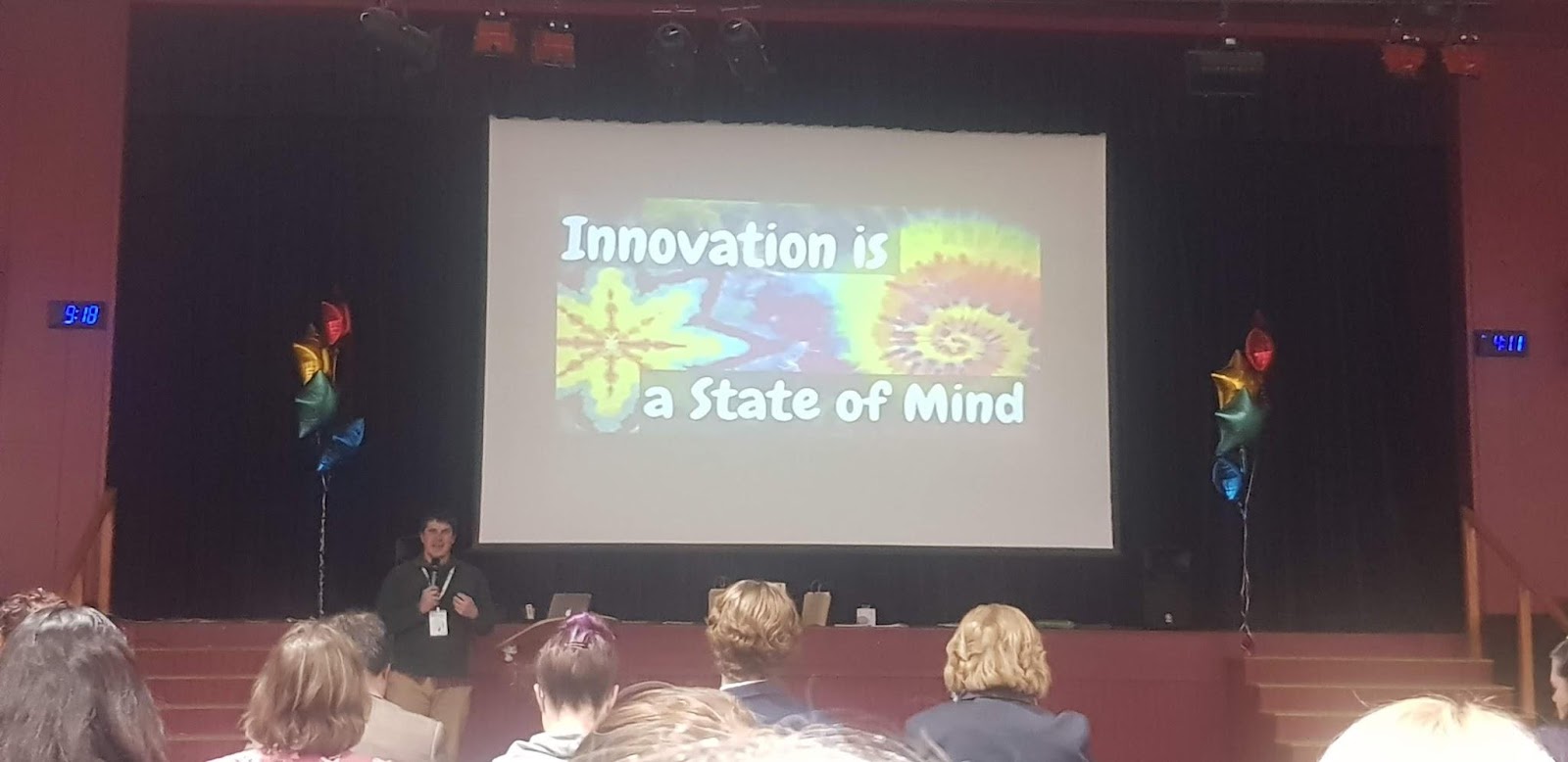
Michael Davidson (NZ Teacher)

Innovation is a state of mind

Jay Attwood

It is far better to do the right thing wrong, than to do the wrong thing right.

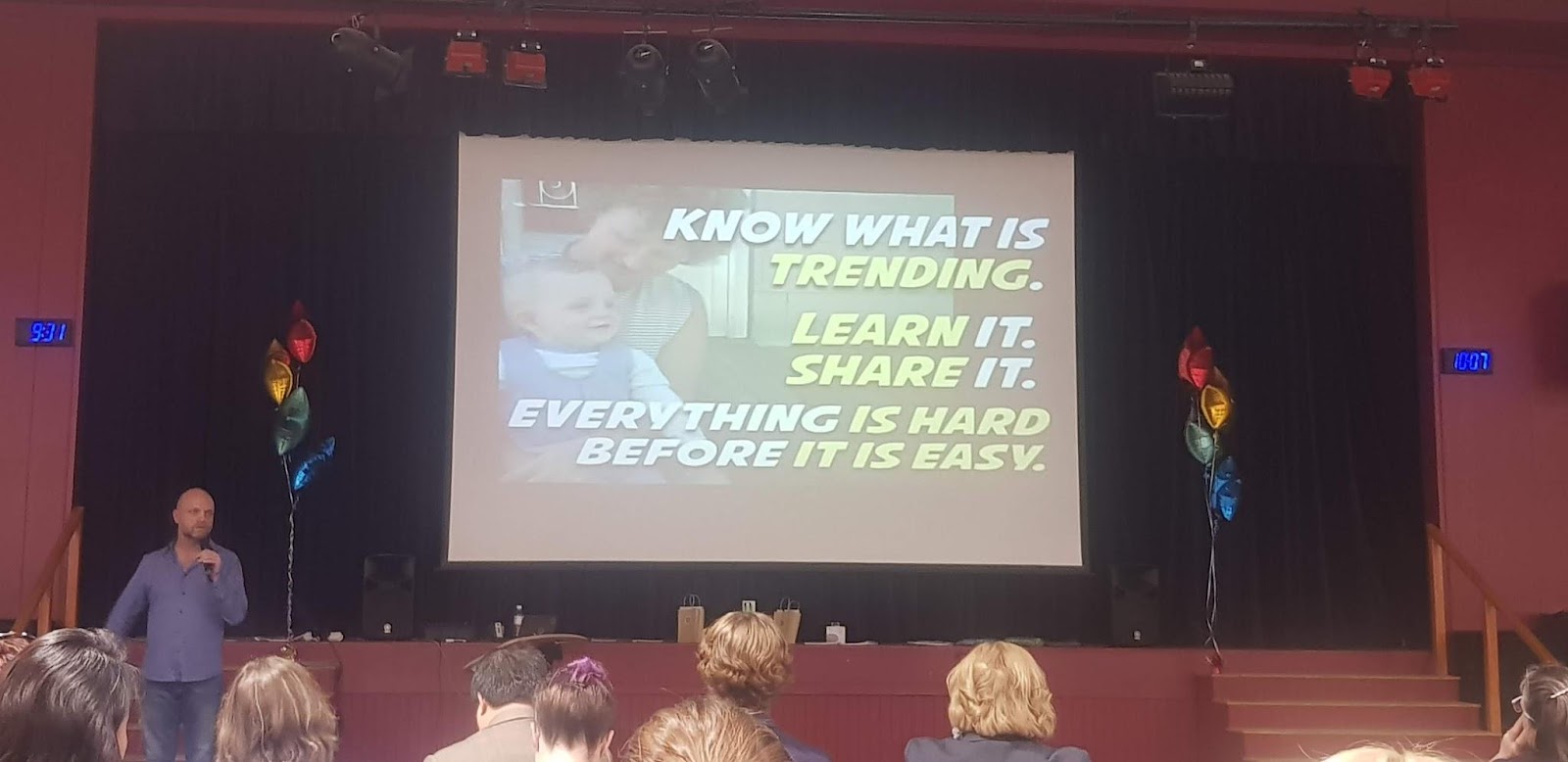
3 Lessons from Granny - photo taken.

  • Know what is trending
  • Learn it.  Share it.
  • Everything is hard, before it is easy.

Engaging Students in Writing

Session 8 - Jacobs session - engaging students in writing


Jacobs session was really interesting.  I went along to support him in his presentation but found that he had lots of innovated cool ideas and tools linked to his presentation and planning.  However many attendees were more focused on creating a site rather than thinking about the content that was embeded in it.  Made some great connections with other teachers and one in particular who taught in a year 2 classroom in Sydney.  Hoping that we can connect our kids up when we go back to school.

She loved looking at our Team Maunga site as it was a bit more Junior focused rather than intermediate focused.

4 Tips for creating websites

3 clicks max
Use white space
Less is more
Be consistent

As with all site creation ... you must PLAN IT FIRST. Plan what you want it to look like, what pages you want and what you want on each page (keeping in mind the 4 tips mentioned above). This will help keep your site simple to navigate and user friendly.


Other things to pear in mind...

1080 standard size of header/page

Digital Storytelling

Session 7 - Lindsey Wesner - Digital storytelling


This was a really exciting and innovative session focused on story writing. This session fitted really well with my MIT inquiry and I can't wait to get back to class to try some of these things out.


LOTS of playing around with. I am extremely excited about adobe spark - a story telling tool. as it works on iPads as well - So perfect for in Team Maunga!


Socrative


Adobe spark

Can use on computers … also can use as part of Adobe Spark Video APP (on ipads…).

Story spine

Good for icebreaker - Teaching children what makes a good story - fun

Six word stories

(alternative version of 14 word stories)
With 6 words you can say - so very much
Combine 6 word stories with 6 shot videos.
Image result for 6 word story

Book creator

This is now available on chrome


Create A Formative Assessment Using G-Suits

Session 6 - John Meing - Create a formative assessment using g-suits

This was a very theory based workshop with lots of discussion around John Hattie - effect size
Douglas Fisher’s - visible learning in mathematics

“Formative assessment refers to to a wide variety of methods that teachers use to conduct in-process evaluations of students comprehension, learning needs and academic progress during a lesson, unit, or course .”


Dillian William (good friends of Paul Black) - discusses the difference between formative and summative assessment.

Proposed Model

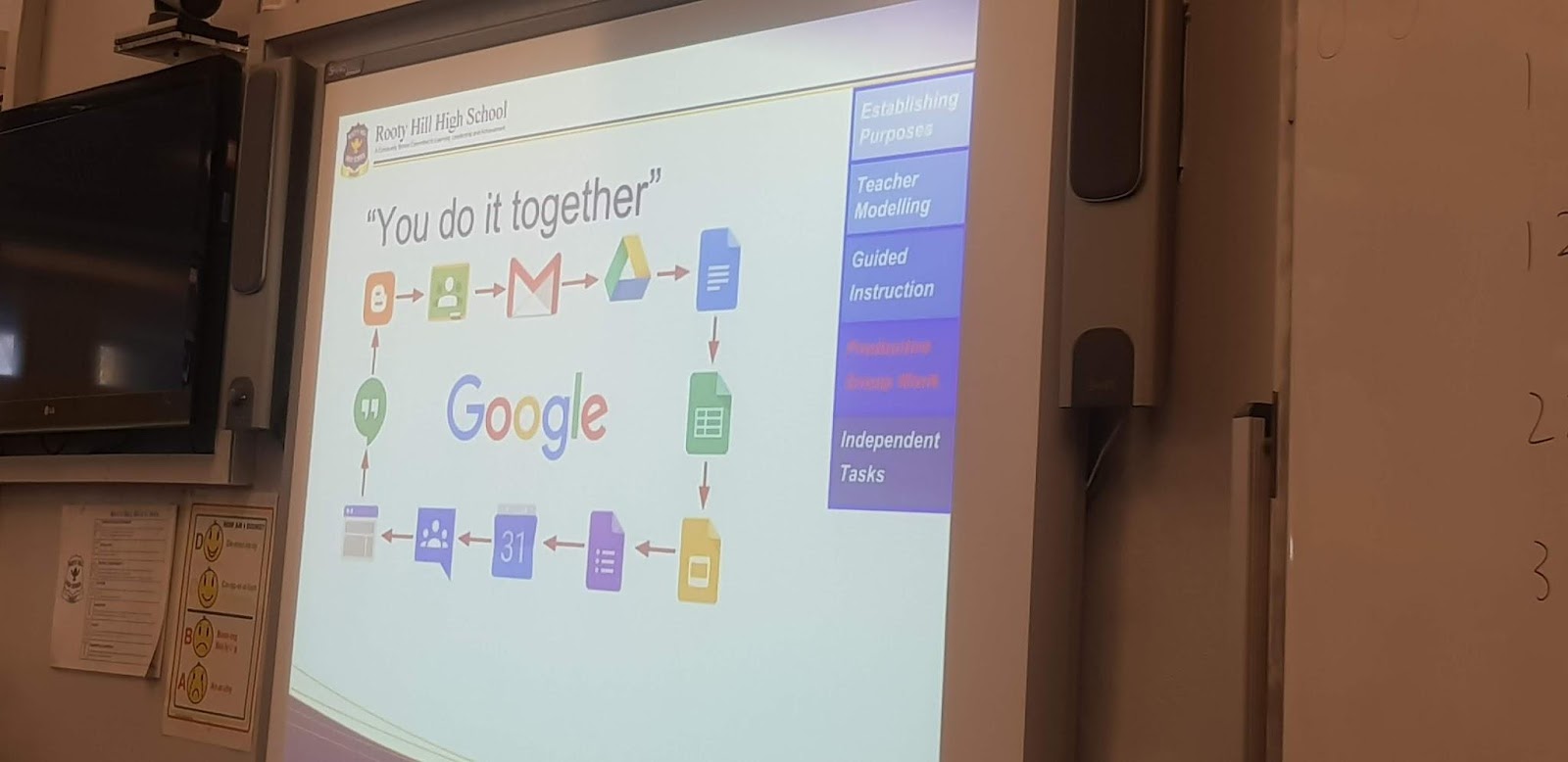
Doug fisher - learning can be at any point along the continuum - All 4 components must be present in every lesson at some point - it creates a whole cycle of learning if you do all each day.

Focused instruction -
  • purpose, (not intention/objectives - because relevance must be there - e.g. must have intention and relevance (interesting and relevance.)
  • Modeling-  open up your brain and talk about the process.  I statements not we or you statements … When I read this … I was thinking about…
When i saw the problem … META-COGNITION should have a because, why or how.
Guided instruction
The strategic use of questions, prompts and cues.
  • Ask questions prompt or cues that means that they do the cognitive work not us …
  • Insert yourself into the group or take children out of different groups and work with you as a small group.
Collaborative
  • Student to student interaction (in academic ways, with academic language).
  • No on learns language from listening to language they only use it by producing the language - students must use the language to learn the language.
Independent learning
  • In-class we are pretty good at this - we aren’t so good at out of class independent learning - we give homework prematurely …


The keys to making this work within our classrooms

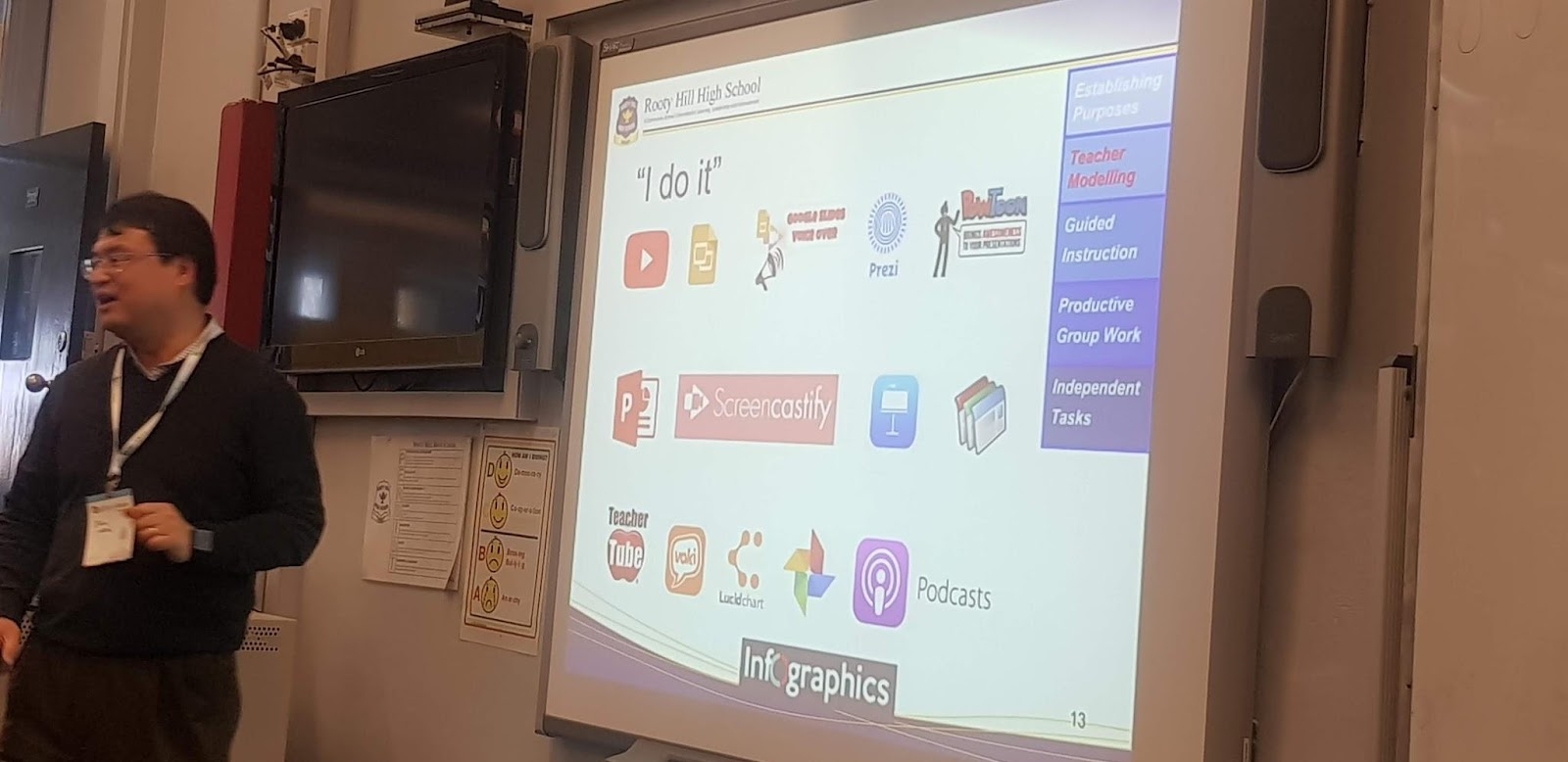
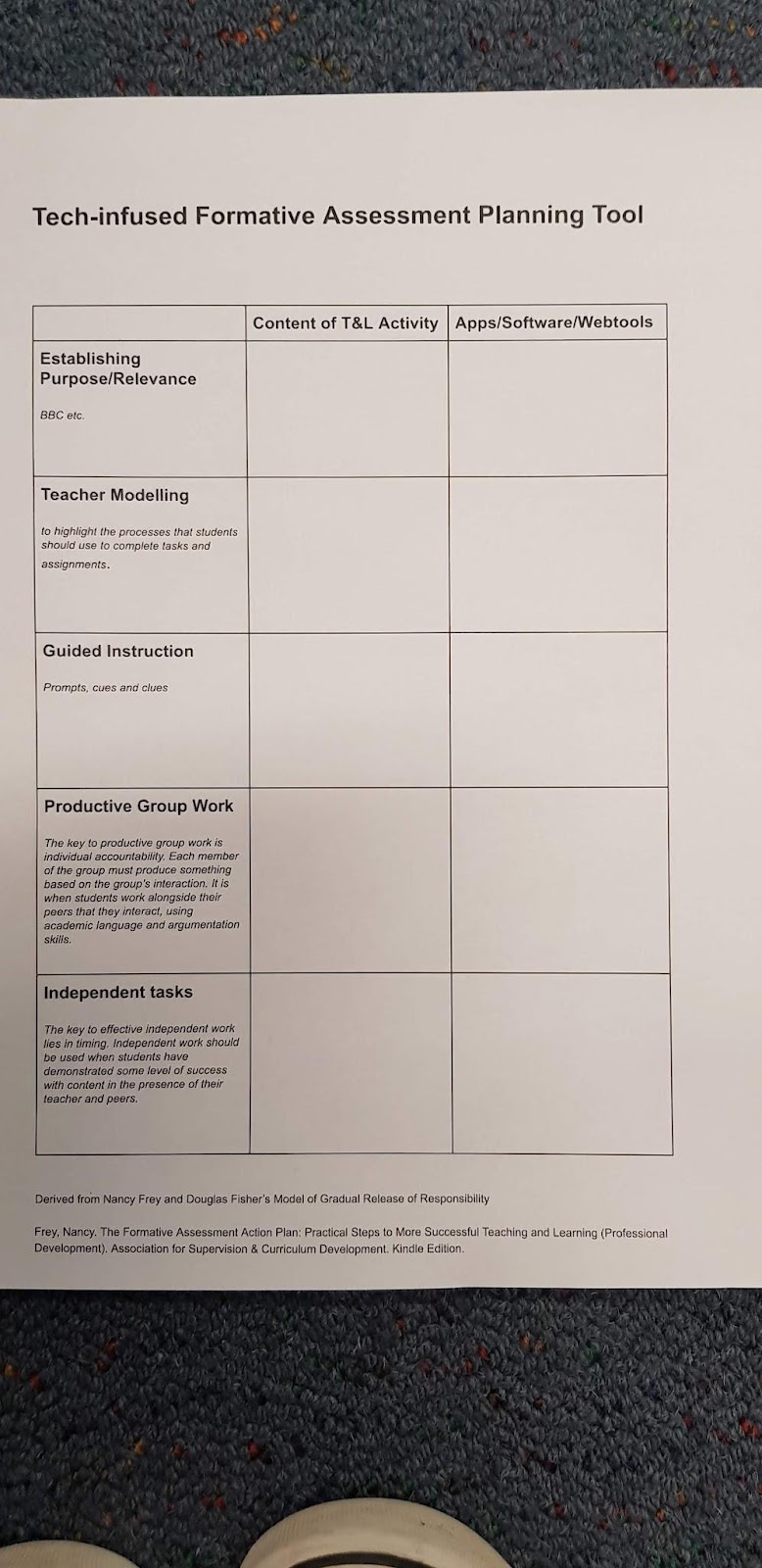
Establish purpose  
School planning template
Teacher modeling
I do it …
Guided instruction
  • share 3 different versions easy, medium and hard and have students choose their own - if all choose easy then we know we have a problem
  • In google docs - you can set the comments to only the owner and teacher can comment.
  • If you design your Kahoot well you can set it up as a good formative assessment tool.
  • Google sheets - validation can support - not super interactive but will allow them to check their answer and have instructions on how to add. - also self marking.
Productive group work
  • Google suite’s is all shareable …
  • Class Dojo - PBL (positive behaviour learning - which doesn’t always work) - however they do have a think/pair/share.
Independent tasks
  • Captivate - a new tool.??? Not sure of its use…

Their schools worksheet tool/example. This was interesting but I have to say that I love how as a school and team we plan/talk and together with our children we Learn, Create, Share within learning contexts that relate specifically to our (students and to some degree teachers) interests and learning needs.


This was an interesting workshop to attend as many that were offered were about applying skills rather than the theory behind it. Was interesting to see/hear an Australian schools point of view. John worked at a school that currently has been awarded an innovation award 3 years in a row for their innovation in education.


Side note: Cool problem - see picture (answer is 5 - count the circles)


PBL in a digital world

(lots of links from to other sessions in the top drop down menu).

Ultimately it doesn’t really matter which model of inquiry you use - but consistency within a school is key. It should be similar - and the process need to be similar to encourage collaboration …


Start with a challenge or question that we are wanting to delve into - must be one that has depth and also one that is something that people want to find out about . - see doc for collated list of things you can do.  


Hyper docs

Live word cloud - collaborative - Screen

Plant a seed (idea) and watch it grow

Really cool - Love it !
Major setting to change is the spam - turn it on (defaults to off). - If you change this to on, you automatically remove some questionable responses/words getting through.
Change discover-ability to hidden rather than public - due to it being used in an educational context.

googles inside search -
Search for a person place or thing
The bar on the right of a google search seeks to answer the next logical question that you will ask next - e.g. it answers questions you haven't yet asked.
A great place to broaden understanding of a person place or thing - links connections that you may not have already had.

recently updated
Lots of new bits - can link record add photos ...
(comments can also be added to individual stickies).
Terms of use require us to directly supervise children's’ use of this tool - Permission and use from under 13 year olds is OK if supervised.

I loved revisiting this as part of creating my presentation for yesterday. Loved how you could also use your own background image - to personalise it more.

Make things that look beautiful. - including certificates, posters … Vouchers …


lots of opportunities for our readers.

dotEPUB
an extension that will take a website and convert it into an e-book.

converts ugly wiki information into something that looks nicer to read - install the extension (downloadable to chrome).  But only works on wiki

Read and write
link to free version for teachers - takes 24-48 hours to authorize premium access.
Premium tools - fill in the form and you get it free.
This can also make a word list with word, definition, picture and place for notes
Highlights can then be added directly to a document (with links back)
Can simplify a webpage to make it accessible to everyone!

TAKE AWAY IDEAS!

So many cool things to use back in my classroom.  Its more a question of where will I start, but we need to start somewhere ... SO here is my plan.

Answer garden - for whole class Inquiry
Canva - for both class and MIT Inquiry
I liked the sound of dotEPUB so would like to investigate this further